
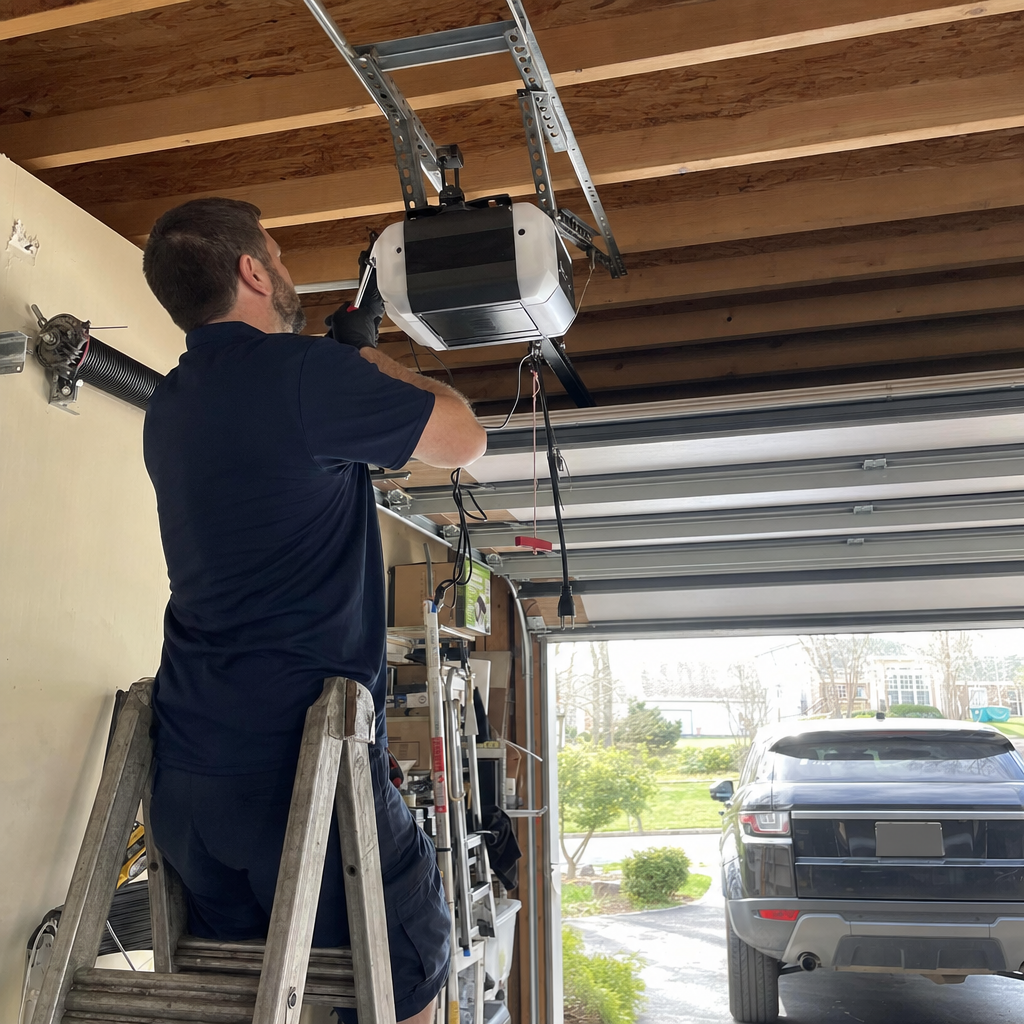
How to Program a Garage Door Opener in Frederick, MD — From the Learn Button to Your Car’s HomeLink
Programming a garage door opener in Frederick typically takes under five minutes: press and release the Learn button on your motor unit, then press your remote button within 30 seconds until the opener lights flash or you hear a click. If you’re pairing a HomeLink system in your car, you’ll hold the remote and the car button simultaneously for 20 seconds after the initial Learn button press to bridge the rolling code. The process changes completely depending on whether your opener uses fixed-code technology (common in pre-1993 units and some early-2000s builder installs still running in Frederick subdivisions) or modern rolling-code security — and most failed attempts we see in the field come from starting the wrong sequence for the wrong generation.
Paul Torres, Owner & Lead Technician at Legacy Garage Door Service Frederick, has walked hundreds of Frederick homeowners through this over eleven years. Here’s what actually works — and where the process breaks down in ways the generic manufacturer guides never mention.
First, Identify What Generation Opener You’re Working With
Before you touch a stepladder, find the manufacture date sticker on your motor unit. It’s usually on the back or side of the housing, near the hanging antenna wire. In Frederick’s rapid suburban expansion through the 1990s and 2000s, builders threw in thousands of chain-drive openers in developments like Urbana, Ballenger Creek, and Clover Hill — and many of those units are now 15–25 years old, hitting the age where compatibility issues surface.
Fixed-code openers (pre-1993, and some lingering into the late 1990s): These use DIP switches inside the remote and the motor unit — tiny toggle switches you set to matching positions. There’s no Learn button. If your opener was installed in a Frederick subdivision in the late 1990s, there’s a real chance it’s fixed-code, especially if it’s a Craftsman or early Raynor unit. Programming means opening the remote casing and the motor unit cover, then matching the switch positions. No amount of pressing a Learn button will pair these with modern rolling-code remotes or HomeLink systems.
Rolling-code openers (1993 to present): These use a Learn button — typically purple, red/orange, yellow, or green depending on brand — and generate a new code with each use. This is what nearly every online guide assumes you have. The programming sequence is simple, but the color of that Learn button matters for HomeLink pairing and for knowing whether your remote frequency is 315 MHz or 390 MHz.
If your opener is pre-2000 and the remote ecosystem is discontinued, programming a new remote may require replacing the receiver board — at which point the board replacement cost (often $120–$320 in parts plus labor) needs weighing against a new opener unit at $250–$550 installed. That’s where we come in. Call (888) 583-9199 and we’ll give you a straight answer on whether Garage Door Opener Installation in Frederick, MD makes sense for your specific unit.
Programming a Rolling-Code Opener: Brand-Specific Steps
We stock and service the brands already in your garage — LiftMaster, Chamberlain, Genie, and others — so these are the sequences we use ourselves in Frederick homes.
LiftMaster / Chamberlain (Purple, Red/Orange, Yellow, or Green Learn Button)
These dominate Frederick’s suburban housing stock. The Learn button is a small square button, color-coded, on the back or side of the motor unit near the hanging antenna.
- Press and release the Learn button. The LED next to it will glow steadily for 30 seconds.
- Within 30 seconds, press and hold the button on your remote that you want to program.
- Watch the opener’s main light bulbs: they’ll flash once, or you’ll hear a click, confirming successful pairing.
- Test the remote immediately. If the door moves, you’re set.
Color code matters for troubleshooting: Purple-button units (Security+ 2.0, 2011–present) require a specific remote or MyQ-compatible device. Yellow-button units (also Security+ 2.0) have a slightly different pairing confirmation — the LED blinks rapidly rather than the light bulbs flashing. If you’re pressing the remote and getting no response, check that your remote matches the opener’s frequency era; a 390 MHz remote won’t talk to a 315 MHz unit no matter how many times you try.
Genie (Intellicode Systems — Common in 2000s Frederick Builds)
Genie units often have a “Learn Code” button and a small red LED indicator. The programming window is tighter — about 30 seconds — and the confirmation is a double-flash of that LED.
- Press and release the Learn Code button. The red LED turns on solid.
- Press your remote button once. The LED blinks twice and turns off.
- Press the remote again to test. The door should respond.
Genie’s Intellicode rolls the code with every use, but the initial pairing is finicky about timing. If the LED doesn’t double-blink, you pressed too late or the remote battery is weak — a dead battery can show full voltage on a tester but fail to transmit the full signal pulse the opener needs.
HomeLink Car Visor Programming: The Step Most Guides Bury
HomeLink — the built-in garage door buttons in your car’s visor — trips up more Frederick homeowners than any other programming task. The manufacturer’s generic instructions say “follow the steps in your owner’s manual,” but those manuals describe the process in ways that assume you’ve done it before.
Here’s what actually works for rolling-code openers (the vast majority of post-1993 units in Frederick):
- Clear any old HomeLink codes first: press and hold the two outer HomeLink buttons until the indicator light flashes rapidly (about 20 seconds). This wipes previous programming.
- Hold your handheld remote 1–3 inches from the HomeLink button you want to program.
- Press and hold both the remote button and the HomeLink button simultaneously. The HomeLink indicator will flash slowly at first.
- When the indicator flashes rapidly — this takes 20–30 seconds — release both buttons. The HomeLink has now learned the basic code.
- This is the step everyone misses: Press the Learn button on your garage opener motor unit. Then, within 30 seconds, return to your car and press the programmed HomeLink button three times, holding each press for two seconds. This bridges the rolling code — the HomeLink and the opener handshake to synchronize their security systems.
- The opener light should flash or you’ll hear a click, confirming the bridge is complete.
If this bridge step fails, it’s usually because the opener’s Learn button timed out before you got back to the car, or because your opener is a Security+ 2.0 unit (purple or yellow Learn button) that requires a HomeLink Compatibility Bridge — a small repeater device that HomeLink will send you free if you call their support line with your car and opener model numbers.
We’ve had Frederick homeowners in Ballenger Creek and Urbana spend an hour on this before realizing they needed that bridge. Save yourself the frustration: if your opener has a purple or yellow Learn button and your car is older than 2018, call HomeLink at 1-800-355-3515 for the bridge, or call us at (888) 583-9199 and we’ll handle the whole pairing.
When the Learn Button Won’t Respond: Four Frederick-Specific Causes
In eleven years of field calls across Frederick, we’ve seen the “Learn button does nothing” scenario more times than we can count. Here are the actual causes, in order of likelihood:
- Depleted backup battery in the motor unit: Common on 15-plus-year-old openers in Frederick’s subdivision stock. The opener runs on wall power, but the logic board’s memory and Learn function rely on a small 12V battery. When it dies, the Learn button goes dead too. The battery compartment is usually a sliding door on the motor housing. Replacement is a $10–$15 part, but on some older Chamberlain and Craftsman units, the battery is soldered to the board — at which point you’re looking at board replacement or a new opener.
- Tripped internal circuit breaker: The motor unit has a thermal overload that trips if the opener strained against a binding door or short-cycled in cold weather. Frederick’s valley geography between the Catoctin and South Mountain ridges traps cold air and produces sharper freeze-thaw cycling than DC or Baltimore suburbs, and we’ve seen openers work harder against stiffened lubricant and misaligned tracks on the coldest mornings. The breaker is a small red or black button on the motor housing; press it firmly to reset. If it trips again immediately, there’s a mechanical or electrical fault that needs diagnosis.
- Learn button memory overflow: Most openers store 5–8 remote codes. If you’ve pressed the Learn button repeatedly trying to program, you may have filled the memory with partial or ghost codes. The fix: hold the Learn button for 6–10 seconds until the LED goes out — this clears all remotes. Then reprogram only the ones you actually use.
- Logic board failure: The circuit board that manages the Learn function has failed. On openers 10–15 years old, this is increasingly common. Board replacement runs $120–$320 in our Frederick market, but with new opener installation at $250–$550, we often advise homeowners to put that money toward a new unit with modern safety features and smartphone connectivity.
If it’s not right, we’re not done. That’s the standard Paul Torres has held for eleven years, and it’s why we don’t leave a job until the homeowner can operate every remote, every visor button, and every keypad exactly as expected.
Common Frederick Scenarios We See in the Field
These aren’t hypotheticals — they’re the calls that come in week after week across Frederick County.
The “new remote won’t pair with old opener” call: A homeowner in Clover Hill buys a universal remote at the hardware store, follows the instructions, and gets nothing. We show up and find a 1998 Craftsman fixed-code unit with DIP switches. The universal remote was the wrong type entirely. We either source a compatible fixed-code remote (increasingly scarce) or quote a modern opener replacement.
The “HomeLink worked until winter” call: A Ballenger Creek resident’s visor button worked fine in October, failed in January. The issue isn’t the HomeLink — it’s the opener’s backup battery, weakened by cold garage temperatures, failing to maintain the paired code in memory. New battery, re-pair, problem solved.
The “entire cul-de-sac lost remotes” call: This one’s specific to Frederick’s development pattern. Technicians working the Urbana corridor regularly find that entire cul-de-sacs have the same original door model and spring configuration installed within a two- or three-year window. When a power surge hits or a cold snap strains aging electronics, we get back-to-back calls for identical issues. We stock the right receiver boards and remote sets for that era’s common units specifically because of this pattern.
The “I programmed it but the door only moves a foot” call: The remote paired successfully, but the opener’s travel limits or force settings are misaligned — often from a recent power outage or from the door binding in cold weather. This isn’t a programming issue anymore; it’s a mechanical adjustment. We handle these same-day in Frederick.
When to Call a Professional in Frederick
Programming a remote or HomeLink is genuinely DIY-friendly for most rolling-code openers less than 15 years old. But here’s where we recommend calling Legacy Garage Door Service Frederick at (888) 583-9199 for an Emergency Garage Door Opener in Frederick, MD:
- Your opener is pre-2000 and you can’t identify whether it’s fixed-code or rolling-code — we’ll diagnose it in minutes and give you an honest assessment of whether a new remote is even available.
- The Learn button is completely unresponsive after checking battery and breaker — this points to logic board failure, and we can quote both repair and replacement options upfront.
- You’re pairing a smart home system (MyQ, Alexa, Google Home) with an older opener — the compatibility matrices are confusing, and we’ve already done the research on what bridges and adapters actually work.
- The door behaves erratically after programming (reverses, stops short, makes grinding noise) — the opener isn’t the problem; the door’s mechanical system needs adjustment, and that’s where our 11 years of hands-on experience matters.
Paul Torres serves as Lead Technician on every job, so the person who answers your questions is the same person who shows up with the tools. No subcontractor roulette, no call-center scripts. Garage Door Opener repair and installation is our core service, and we’ve handled nearly every brand and generation you’ll find in Frederick’s housing stock.
Quick Reference: What Programming Your Opener Should Cost If You Need Help
| Service | Typical Range in Frederick |
|---|---|
| Remote programming / HomeLink pairing (during service call) | $120–$320 (opener repair visit) |
| Logic board replacement | $120–$320 |
| New opener installation (if replacement makes sense) | $250–$550 |
| Backup battery replacement (if accessible) | $120–$320 (typically bundled with service call) |
We don’t charge separately for “programming” — it’s part of the service call when we’re already addressing your opener. If you just need a remote paired and nothing else is wrong, we’ll quote you honestly over the phone.
Key Takeaways for Frederick Homeowners
- Check your opener’s manufacture date before starting — fixed-code and rolling-code systems use completely different programming methods.
- LiftMaster/Chamberlain and Genie are the two most common brands in Frederick homes; know your Learn button color for proper HomeLink pairing.
- The HomeLink bridge step (three presses after Learn button activation) is where most DIY attempts fail — don’t skip it.
- A dead Learn button usually means dead backup battery, tripped breaker, or full memory — all fixable, but know when to call.
- Pre-2000 openers with discontinued remote ecosystems may need receiver board replacement or full opener replacement — we can advise which path makes financial sense.
FAQs
Remote or HomeLink programming is typically included in an opener service call, which runs $120–$320 in the Frederick market. If your opener needs a new logic board to accept programming, that same $120–$320 range usually covers it; a full opener replacement runs $250–$550 installed. Call (888) 583-9199 for an exact quote — estimates are free.
Only if it’s a fixed-code system with DIP switches inside the remote and motor unit — common on pre-1993 openers and some late-1990s builder installs still running in Frederick subdivisions. You open both housings and match the switch positions. If your opener truly has no Learn button and no DIP switches, it’s likely a very old or proprietary system that may need a receiver board upgrade or full replacement. We can diagnose this in minutes on a service call.
The most common reason is missing the rolling-code bridge step: after the initial HomeLink learns the remote code, you must press the opener’s Learn button, then return to your car and hold the HomeLink button three times for two seconds each. The second most common reason is incompatibility between newer Security+ 2.0 openers (purple or yellow Learn button) and older HomeLink systems, which requires a free compatibility bridge from HomeLink. Paul Torres has sorted this out for hundreds of Frederick homeowners — call (888) 583-9199 if you’re stuck.
For openers under 12 years old, a logic board or receiver replacement at $120–$320 usually makes sense. For units over 15 years old — especially the fixed-code and early rolling-code openers common in Frederick’s 1990s–2000s subdivisions — putting that money toward the Best Garage Door Opener in Frederick, MD at $250–$550 gets you modern safety sensors, battery backup, smartphone connectivity, and a full warranty. We’ll give you an honest assessment either way.
If you’d rather have it looked at, Legacy Garage Door Service Frederick offers a no-pressure assessment in Frederick — call (888) 583-9199.
Written by Paul Torres, Owner & Lead Technician at Legacy Garage Door Service Frederick, serving Frederick, MD.